

Menu Icon
  • 中文
  • First Time Login & Activate
  • Login with Security Authentication Service
中文
Login with Securities Authentication Service
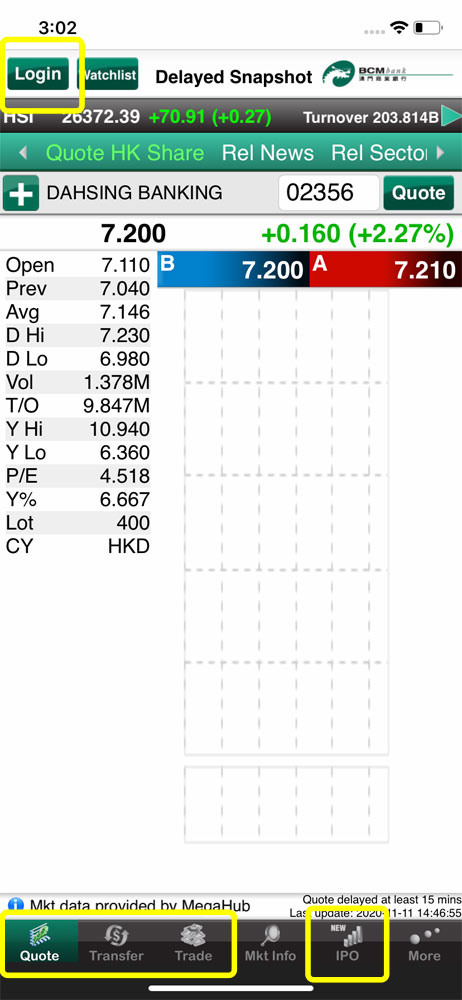
1. Open “BCM Mobile Securities Trading” App and click “Login” icon to access the login page. Login can be performed via any one of the “Quote”, “Transfer”, “Trade” or “IPO” pages
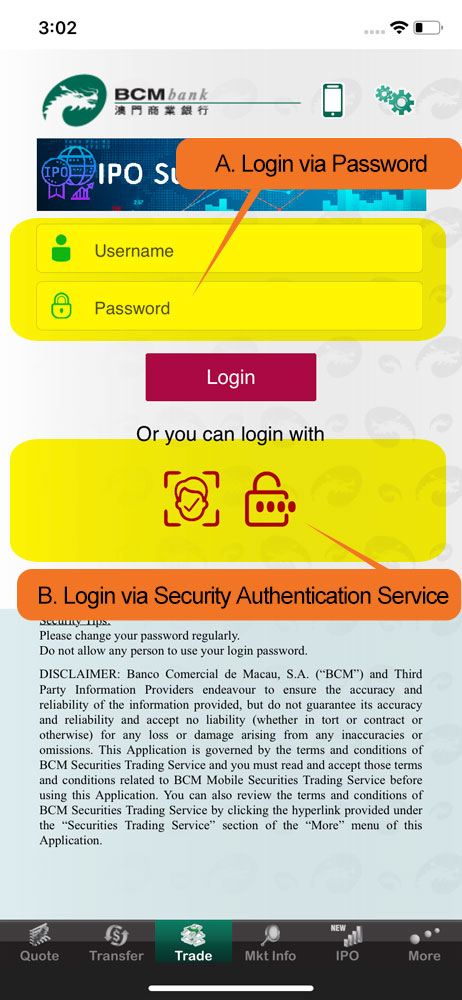
2. After activate the Security Authentication Service, BCM Mobile Securities Trading Service provides two methods of login: Login via Password or Login via Security Authentication Service
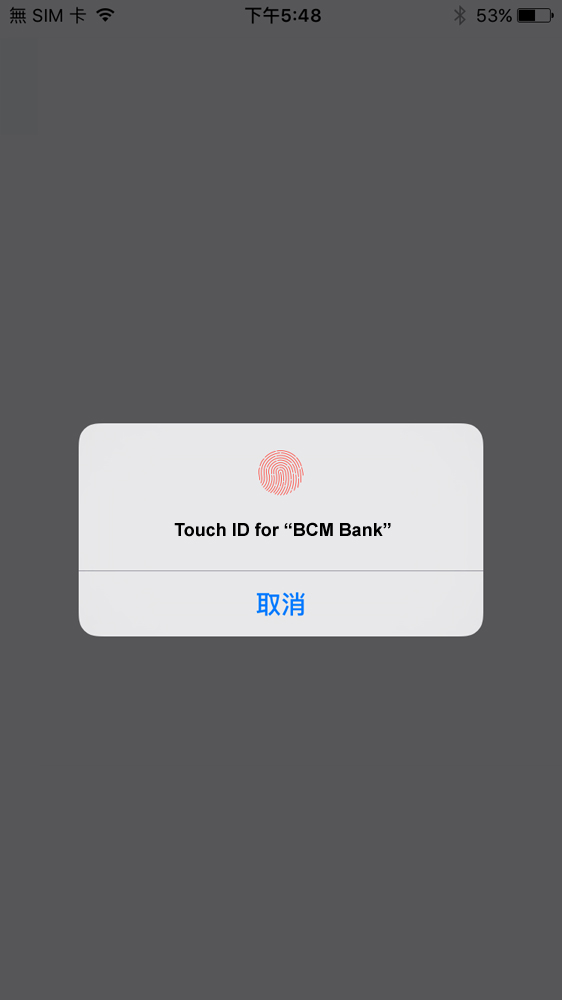
3. If you use fingerprint authentication as the login method, please touch the fingerprint sensor on your device to verify your fingerprint.

Remarks: the methods of authentication will vary according to the supported model(s) of the mobile device
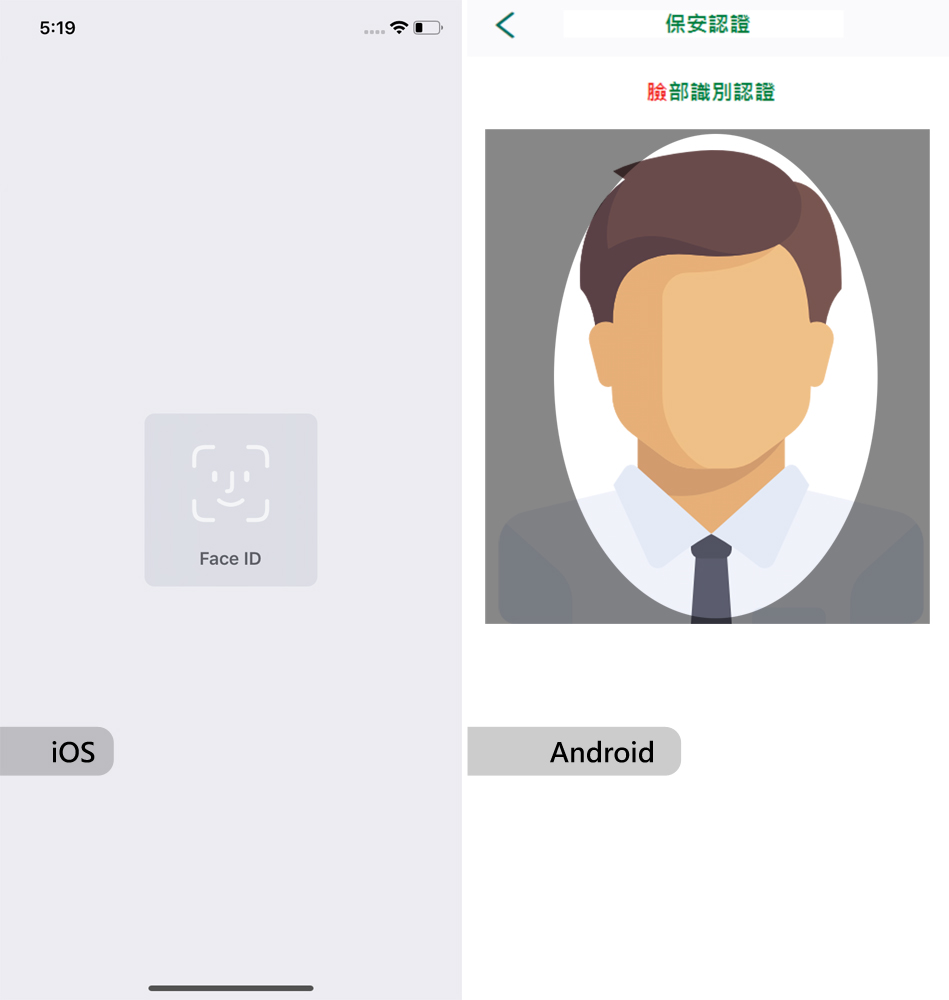
4. If you use the facial authentication as the login method, please focus on the camera of your mobile device to verify your Face ID/facial recognition.

Remarks: the methods of authentication will vary according to the supported model(s) of the mobile device
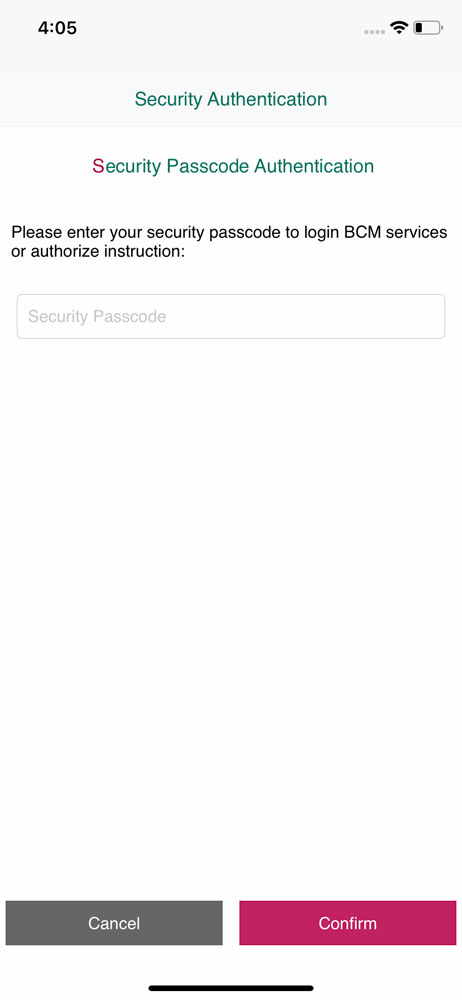
5. If you use the Security Passcode as the login method, please enter your self-assigned passcode on the screen and click the “Confirm” button to continue login process.
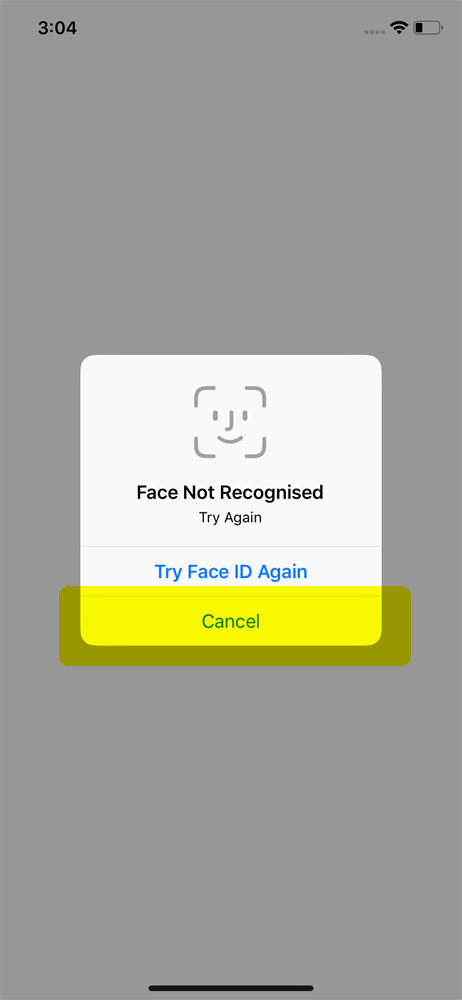
6. If you wish to change the method of login, please click the “Cancel” button to return to the login page and then select your desired login method.
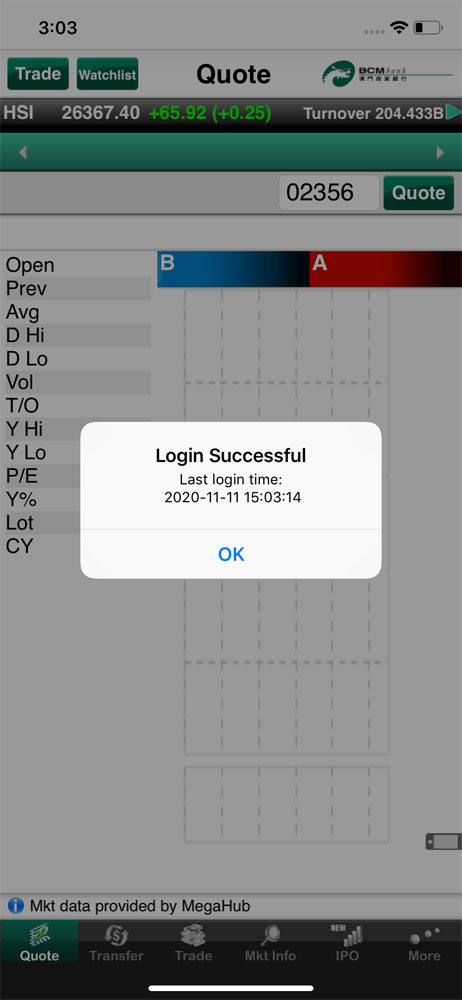
7. System will enter to the Welcome Page after successful login. You can now experience BCM Mobile Securities Trading Service!